
Forever Ago saves through automatic checkpoints and has no manual save option. You cannot use a save-anywhere command to preserve the exact moment where Alfred is standing. When you stop partway through a scene, your next session may resume from the last saved checkpoint rather than from the latest object you examined or photograph you took.
The safest practical approach is to finish the current interaction, allow the scene to settle, and leave through the game's normal menu. Treat major scene progress as a better stopping opportunity than an arbitrary pause in dialogue, but do not assume every objective, journal action, or location change guarantees a new save. Starting New Game overwrites the current save, so use Continue when your purpose is to resume.
Separate a checkpoint from your current position
Your current position is where Alfred is on screen. Saved progress is the state the game has recorded at an automatic checkpoint. Those can differ if you have explored, talked, or taken photographs since the last save.
This explains why resuming can place you earlier in a sequence. You may need to repeat a conversation, walk through an area again, or redo local interactions. It does not automatically mean the entire save has disappeared. First identify where the resumed scene begins and compare it with the last confirmed part of the journey.
A pause menu is not itself a manual save function. Leaving Alfred paused beside a useful object does not establish that the object's interaction has been saved. Likewise, taking a screenshot of the scene preserves an image for you, not a playable save state for the game.
What the save system provides
Use the following distinctions when deciding how to stop or return. They prevent ordinary gameplay actions from being mistaken for technical save commands.
| Feature or action | What it means for your session |
|---|---|
| Automatic checkpoint | The game records progress at its checkpoint points |
| Manual save command | Not available |
| Continue | Resume the currently saved journey |
| Chapter select | Revisit a chosen chapter after finishing the story |
| New Game | Start a fresh journey and overwrite the current save |
| Placing a photograph in the journal | Organize a game photograph; do not treat it as a manual save command |
There is no useful universal rule such as “every photograph saves” or “every spoken line saves.” Plan around the checkpoint system rather than assigning an invented trigger to whichever action you just completed.
Choose a stopping point before beginning a long local task
If you know you need to leave soon, avoid beginning a large optional search that you cannot finish comfortably. The gas station, diner, and resort each contain several separate interactions. Stopping halfway through their exploration can leave you uncertain about which parts will be present when you resume.
A better session plan is to finish a coherent local task: complete the shopping sequence, finish the immediate memory search, or conclude the current conversation and its next transition. This is a planning recommendation rather than a promise that the last action always creates a checkpoint.
Keep enough time to let the resulting sequence finish. Quitting while a dialogue line, memory transition, or animation is still running adds uncertainty about the state you will resume from. Waiting for the game to return control or settle into the next scene gives you a clearer record of what happened.
If the interface shows a save indication, let it finish before closing the application. Do not assume that a particular icon color, fixed wait time, or button combination exists on every platform. Use the indication actually presented by your version.
End the immediate interaction cleanly
Before leaving, use a short routine:
- Finish the object, conversation, photography, or activity currently in progress.
- Let any resulting animation or transition complete.
- Observe the scene where control returns and any save indication shown.
- Make a brief note of your location and the task you have just finished.
- Leave through the normal game menu when you are ready to stop.
The note is for your own reference. It does not force a save, but it makes your next session easier to assess. “At the diner after reporting to Maddy” is more useful than “played for a while,” because it gives you a concrete scene to compare with the resumed state.
Avoid repeatedly force-closing the application to test whether an interaction was saved. That approach can create more replay work while telling you little about the next checkpoint. Continue through the local sequence when possible and use the game's ordinary return behavior.
Resume with Continue before diagnosing lost progress
When you next launch the game, use Continue to return to the existing saved journey. New Game is not a troubleshooting command; it overwrites the current save and begins again. If your intention is to recover the session you were playing, starting a fresh journey is the wrong first action.
Once the scene loads, identify the location and active objective. Compare them with your stopping note. If you are in the same chapter but earlier in its conversation or exploration, you have likely returned to checkpoint progress rather than the exact last moment you played.
Follow the loaded scene before assuming all recent actions are preserved. The visible state matters: a product may need to be collected again, a memory search may be incomplete, or the conversation may replay. Use what the scene currently presents instead of relying only on recollection from the previous session.
If the game does not offer the expected continuation or loads a substantially different journey, stop making save-changing choices and inspect the situation first. Do not select New Game simply to see whether it makes another option appear.
Recheck optional tasks when a section repeats
Checkpoint replay is especially relevant to optional achievements. If a resumed scene asks you to repeat local actions, check those achievement tasks again rather than assuming they are all in the state you left them.
At Karl's Pump 'n' Mart, distinguish the required supplies from all optional purchases and Milton's listening condition. At the diner, distinguish the required objectives from the rest opportunities and vignette searches. At the resort, distinguish playing the arcade from beating its record and finding the story tickets from locating Marley's bobblehead.
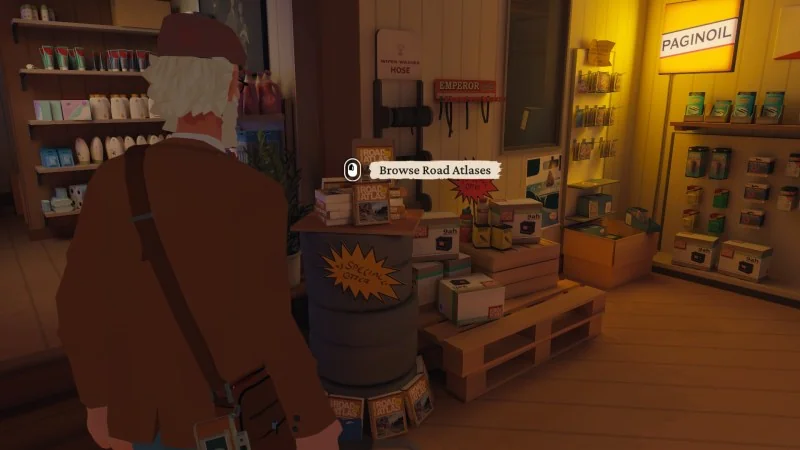
These checks are useful because main objective completion and optional achievement completion are not interchangeable. A resumed story task can be available even when you still need to perform an additional condition. Confirm the specific action you are trying to preserve before moving on.
Keep a task marked uncertain if you cannot tell whether it was completed in the currently resumed scene. A small uncertainty on a checklist is easier to resolve while the area is available than an incorrect “done” mark discovered after the story ends.
The journal is not a manual-save substitute
Alfred's journal stores selected photographs and supports the narrative. It is tempting to treat placing a picture in the album as a way to save anywhere, because the interaction looks like preserving a memory. The game still uses automatic checkpoints; the journal is not a manual-save menu.
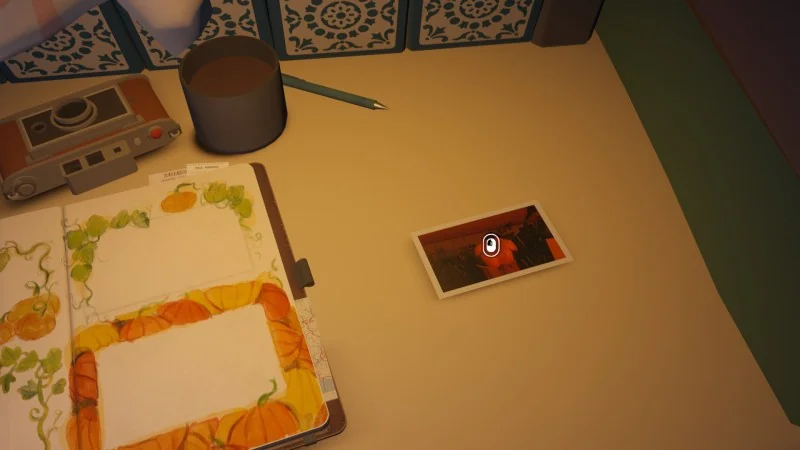
Finish the album interaction when the story offers it, but keep two ideas separate: the photographs you choose to keep and the checkpoint state used for resuming. Taking a photo, developing it, or placing it on a page should not be turned into an unsupported universal save trigger.
The same distinction applies to achievement counts. A journal page does not expose every photo you have taken, and it does not establish that every optional task in the surrounding chapter is complete. Use the appropriate achievement checklist and the game's continuation behavior for those separate questions.
Chapter select helps replay after completion
After finishing the story, Forever Ago provides chapter select. This lets you revisit a particular location without intentionally beginning a fresh New Game. It is useful for a missed local task such as the selfie with Milton or another arcade attempt.
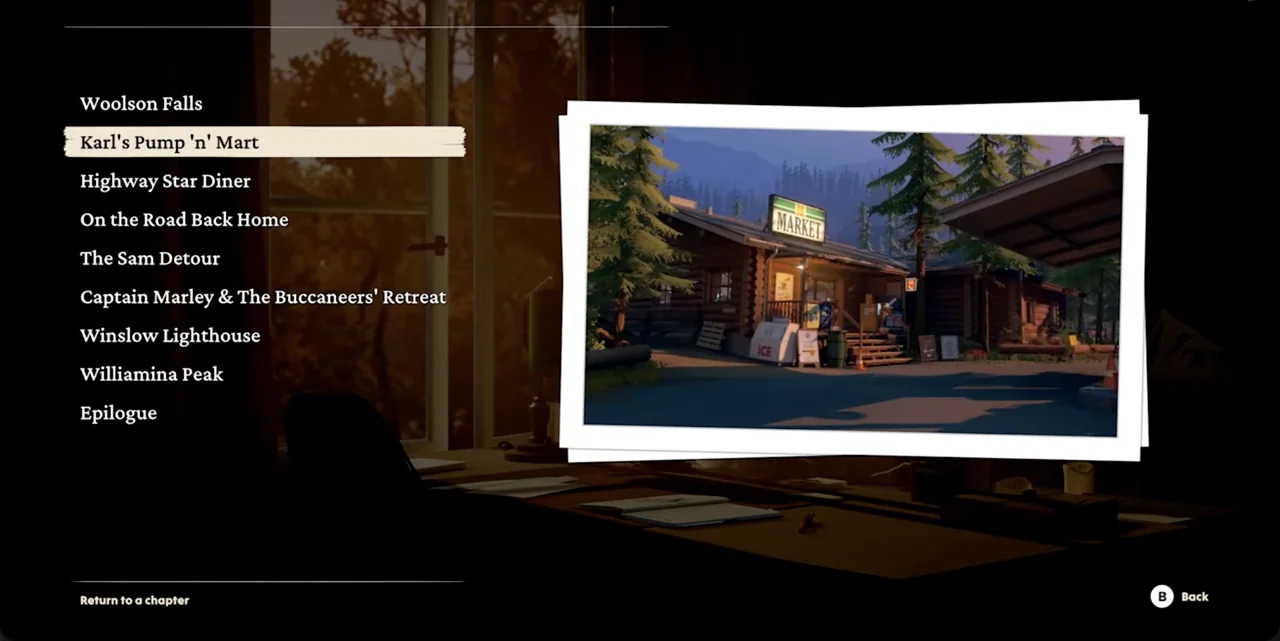
Chapter select does not change the absence of manual saves. A replayed chapter still consists of scenes you need to navigate, and stopping midscene should not be treated as saving at the exact point you selected. Plan enough time to reach the target interaction and finish the local task.
It also should not be treated as a universal guarantee that every partial achievement state combines across arbitrary replays. A single shared selfie and all six rests across the journey have different kinds of requirements. Use a focused replay for a local task and a continuous route for a journey-wide rest attempt.
Keep a completed save until you choose a fresh run deliberately
Starting New Game overwrites the current save. If you have completed the story and only want to revisit a place, first use the available chapter menu. Replacing the completed journey with a fresh run is a different decision and should be intentional.
Before choosing New Game, note why you are doing it. A completely new story playthrough or a continuous achievement route may justify starting again. A missing photograph with Milton usually points toward chapter replay instead. The exact purpose tells you which option fits the task.
Do not rely on an imagined second manual slot to preserve the previous journey. The game has no manual-save system to create a parallel named save from the pause menu. Avoid using a new-run action until you are ready for the current save to be replaced.
Diagnose the problem by how much progress changed
If you return only a little earlier in the same scene, focus on repeating the local interactions and reaching further checkpoint progress. If you return to the start of an earlier chapter, compare the current objective with your stopping note before deciding which optional checks need another pass.
If a platform achievement has already unlocked, that confirmation is useful for your completion checklist, but it does not prove the game will resume at the same location where it unlocked. Achievement status and story checkpoint position answer different questions.
If the save seems absent or the game loads a different state than expected, record the visible menu options and loaded scene before making changes. A concrete description of the problem is more useful than a guess that every recent action vanished. It also avoids overwriting the existing state while trying random menu choices.
Keep the stopping plan practical
Use sessions long enough to finish the local interaction you are starting, let transitions complete, and resume through Continue. Keep a short note when working on optional tasks so a repeated checkpoint scene does not become a memory test about every object you examined.
Do not build your plan around a fixed autosave interval or an invented quicksave shortcut. The reliable facts are the checkpoint-based system, the absence of manual save, post-story chapter selection, and New Game's overwrite. Work with those features and verify the resumed scene before assuming your latest minor action was recorded.