
Forever Ago has two distinct selfie achievements. Chrono Selfie requires a selfie with Milton, the cashier at Karl's Pump 'n' Mart. Self-Portrait Photography requires 10 selfies. Use selfie mode so Alfred appears in the camera view; a normal portrait of Milton or ten outward-facing scenery photographs does not satisfy these conditions.
If you missed Milton's picture during the first store visit, finish the story and return to Karl's Pump 'n' Mart through chapter select. You do not need to start New Game just to attempt the shared selfie. For the ten-selfie milestone, take a clear set of new selfies and check the achievement afterward instead of relying on an uncertain count of earlier photos.
Identify which selfie achievement is missing
The two names point to different kinds of progress. One has a companion requirement, and the other has a numerical requirement. Check the platform achievement description before returning to a chapter or taking more pictures.
| Achievement | Requirement | Epic XP | Main check |
|---|---|---|---|
| Chrono Selfie | Take a selfie with Milton | 80 | Alfred and Milton are included in selfie mode |
| Self-Portrait Photography | Take 10 selfies | 15 | Ten selfie photographs have been taken |
A selfie with Milton is a useful opportunity while working on photography, but it is not a replacement for the ten-shot goal. Conversely, taking ten selfies in scenic locations does not remove the need to include Milton for Chrono Selfie.
The XP values are Epic Games Store values. They are not extra in-game rewards or a requirement to spend currency. The practical tasks remain one correctly framed companion selfie and ten photographs taken in selfie mode.
Recognize selfie mode before pressing the shutter
The clearest sign is the camera view: Alfred is facing his own camera and appears in the foreground. If the view is pointing away from him toward shelves or scenery, you are still taking an ordinary photograph. Change to selfie mode before making another attempt.
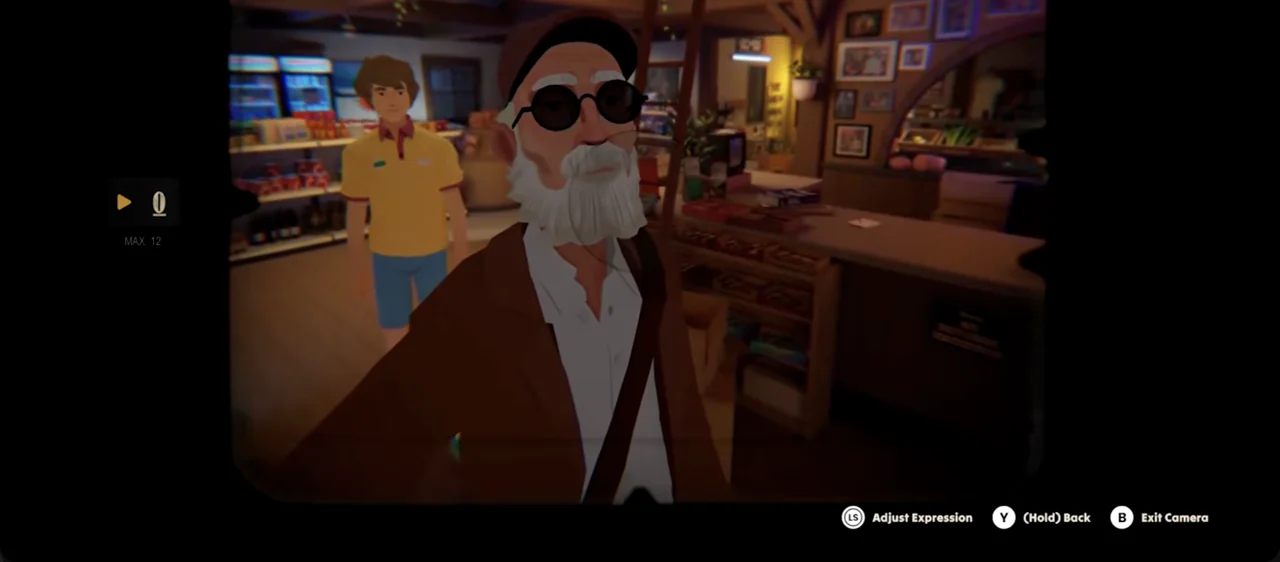
Use the on-screen camera controls shown by your platform. Buttons and keys can differ, so follow the prompt available in the current view instead of copying a binding intended for a different controller or keyboard setup. The essential operation is changing the camera mode, not pressing a universal shortcut that every edition must share.
The camera also offers expression choices for Alfred. Those can help you compose a picture you like, but neither achievement description asks for a special facial expression. Do not spend time cycling through poses while leaving the actual subject or photo count unfinished.
Take the photograph only after confirming the view. A quick visual check prevents the common mistake of collecting ten portraits or landscapes while believing they were selfies. The milestone depends on the kind of photograph, not just the number of times you open the camera.
Find Milton at Karl's Pump 'n' Mart
Milton is the store employee involved in Alfred's early shopping stop. The main objective sends you inside Karl's Pump 'n' Mart to gather road-trip supplies and pay at the counter. This makes the store the relevant chapter for Chrono Selfie, rather than a later diner or resort.
The essential purchases are cookies, windshield wipers, and a road atlas. They explain why Alfred is visiting, but the selfie is an extra camera task. Handle the photograph separately from the shopping list; completing the transaction does not automatically establish that Milton appears in a selfie.
If you are attempting the achievement during the first visit, take a moment to position Alfred where both characters can be framed. Do not remain focused only on the product shelves. A clear view of Milton in normal camera mode is still the wrong kind of picture for this achievement.
Other shop achievements ask for all purchases or for letting Milton finish speaking. They do not change the selfie's description. You can address several goals in one store visit, but keep a separate check for each result instead of assuming one store achievement confirms every optional action there.
Frame Alfred and Milton together
Use this simple sequence while the store scene permits camera use:
- Position Alfred near Milton with enough space to frame both characters.
- Bring out the camera and change to selfie mode.
- Confirm that Alfred appears in the foreground of the view.
- Adjust the position or framing until Milton is visibly included.
- Take the photograph, then check the platform achievement confirmation.
The point is a shared selfie. If Milton is outside the view, the photograph is an Alfred-only selfie. If Alfred is absent because the camera points outward, it is a portrait of Milton. Those are different pictures even when taken from almost the same physical position.
Do not infer a hidden demand for a particular expression, decorative background, or exact distance. The achievement condition specifies Milton as the companion. Concentrate on including him in the selfie instead of adding unsupported composition rules.
If the camera is unavailable during a dialogue or transition, let that sequence settle before attempting the picture. The store contains story interactions as well as free exploration, and repeated button presses during a scene change are less useful than waiting until the camera view is actually available.
Return after the story if the early selfie was missed
Selfie use may become more familiar later than the initial gas-station visit. If you have already left without Chrono Selfie, keep playing until the story is complete. Chapter select is available afterward and lets you return to the store chapter for a focused attempt.
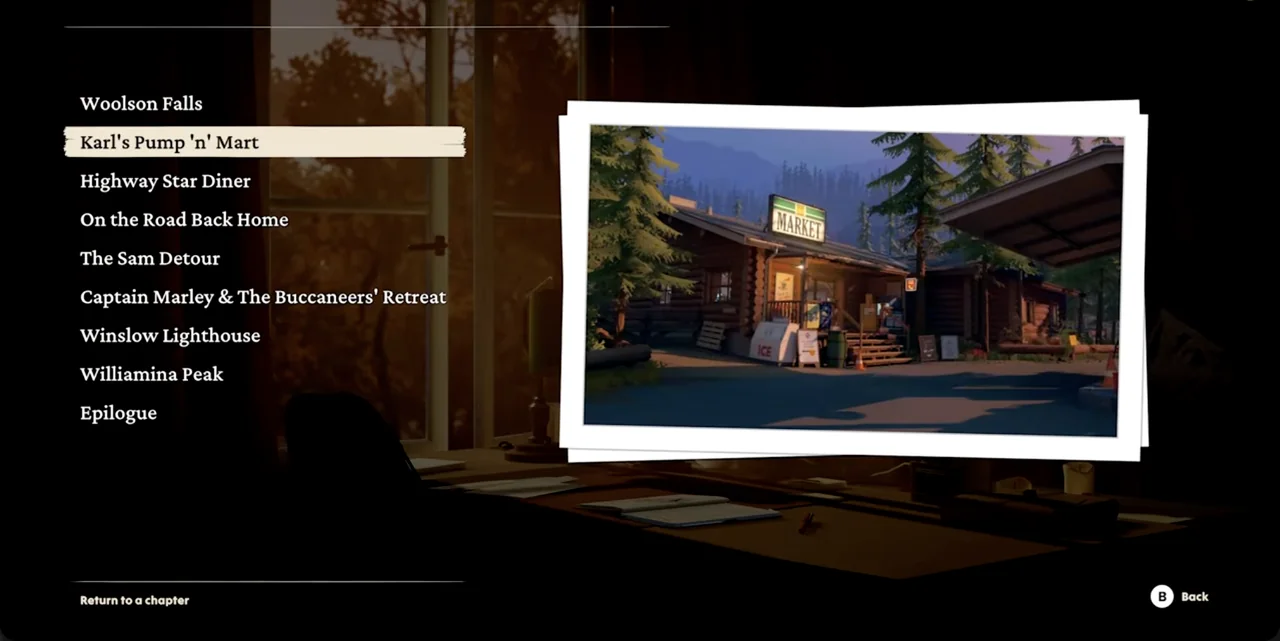
Choose Karl's Pump 'n' Mart from the chapter list. The location name is the useful identifier; you do not need to replay a later scene simply because you first learned about selfies there. Milton is the required subject, so return to where his store interaction occurs.
Use chapter select rather than New Game for this cleanup. Starting a new game overwrites the current save, while the purpose of this return is to revisit one earlier location. Keep the completed journey available while you work through the local camera task.
Do not assume selecting the chapter places you instantly beside the cashier with every required action already finished. Follow the loaded scene to the point where Milton is available and the camera can be used, then perform the shared selfie. Replaying a chapter and unlocking an achievement are separate steps.
Take ten actual selfies for Self-Portrait Photography
For the numerical milestone, choose a scene where camera use is available and take ten photographs in selfie mode. Count the completed shots, not simply the number of times you switch into the mode. Opening the selfie view without taking a photo does not fulfill a photography count.
Keep the count simple: record one after the shutter action completes, then repeat when the camera is ready again. You do not need ten different companions or ten named locations because the requirement is ten selfies. Use variety if you want interesting journal choices, but do not invent a uniqueness rule.
An efficient first-run approach is to take selfies at several stops as part of normal photography. This spreads the task across the journey and gives you different backgrounds. A focused post-story session is also useful if the milestone remains locked at the end.
For cleanup, take ten new selfies rather than trying to reconstruct a vague earlier total. This is a practical way to eliminate counting uncertainty. It does not establish a universal rule about how every platform carries partial counters between every possible replay state.
Keep the camera's local capacity separate from the milestone
The camera view can limit how many pictures are available in the current scene. That local limit is not the same as the ten-selfie achievement description. Work with the available photo-management controls if the camera becomes full, and do not assume opening selfie mode grants unlimited shots automatically.
Photography milestones also differ from the journal's selected pictures. At journal stops, you choose favorite photos to keep. The album is not a complete visible counter of every photograph taken, so do not decide that you need ten occupied album spaces before Self-Portrait Photography can unlock.
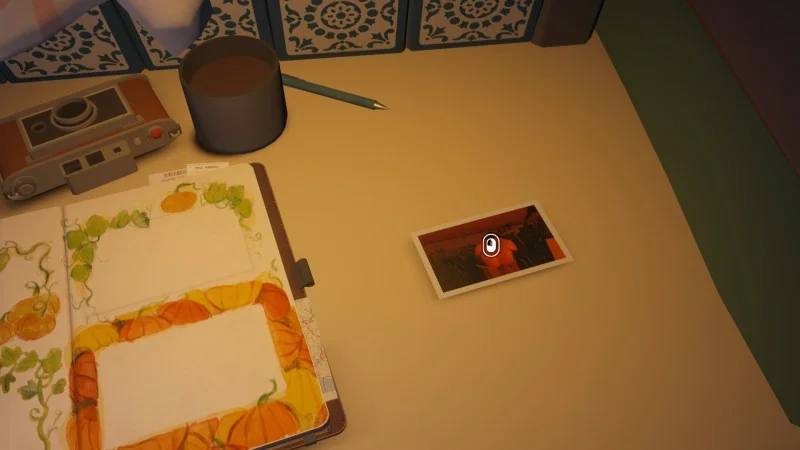
The useful distinction is capture versus selection. Take the selfies for the achievement condition, then choose the images you want in the journal when the game offers that interaction. Keeping a picture is a separate activity from creating it.
Avoid counting the wrong photographs
A portrait of Alfred taken by another character during the opening is not automatically a selfie you took in the camera's selfie mode. Likewise, photographs of Doggo, Milton, scenery, or room objects are not a substitute for the ten-selfie condition merely because they are personal memories.
When counting, check the view used for each picture. Alfred should be present as the camera's selfie subject. For Chrono Selfie, Milton must also be included. This small distinction explains most wrong-photo attempts more directly than searching for a new camera or a special upgrade.
Do not confuse Self-Portrait Photography with Focus Finder or Picture Perfect. Those achievements require 25 and 50 photos respectively. They belong to the broader camera milestone list, while the selfie achievement specifically names selfie photographs.
Diagnose the missing result before restarting
If Chrono Selfie remains locked, review the last shot's mode and subjects. Was Alfred visible in selfie view, and was Milton actually included? Correct the framing and take another shared photograph when the scene permits. Taking more Alfred-only selfies does not address a missing companion.
If Self-Portrait Photography remains locked, check whether you have taken ten complete selfie shots. A set of ten ordinary photographs is a different activity. If the earlier count is uncertain, use a focused new set and check the platform list afterward.
If the store scene has already ended, finish the journey and use chapter select. That is the relevant recovery route for a missed early Milton picture. Reserve New Game for an intentional new playthrough, because it overwrites the existing save rather than simply adding another selfie attempt to your completed journey.
Once both achievements are confirmed, you can choose journal pictures by preference. There is no need to keep searching for another hidden selfie companion, pose set, or location count beyond the conditions those two descriptions actually specify.